Hey there, fellow truck enthusiasts! I'm a supplier of truck brake pads, and I know how crucial it is to keep your truck's braking system in top - notch condition. One of the most common maintenance tasks you'll encounter is removing old truck brake pads. In this blog, I'll walk you through the process step by step.
Why Remove Old Brake Pads?
First off, you might be wondering why you need to remove those old brake pads in the first place. Well, over time, brake pads wear down. When they get too thin, they lose their ability to grip the brake rotors effectively. This can lead to longer stopping distances, which is super dangerous on the road. Plus, worn - out brake pads can cause damage to the rotors, and that's an even more expensive fix.
Tools You'll Need
Before you start, gather the necessary tools. You'll need a jack and jack stands to lift the truck safely. A lug wrench is essential for removing the wheels. You'll also need a C - clamp or a brake piston retractor tool. This tool is used to push the brake caliper piston back into its housing. A socket set and a flat - head screwdriver come in handy for removing bolts and clips. And don't forget some safety gear like gloves and safety glasses.
Step 1: Prepare the Truck
Park your truck on a flat, level surface and engage the parking brake. Make sure the engine is off. Use the lug wrench to loosen the lug nuts on the wheel where you'll be working, but don't remove them just yet. Then, use the jack to lift the truck until the wheel is about 6 - 8 inches off the ground. Place the jack stands under the truck's frame for extra support, and then lower the truck onto the jack stands. Now you can remove the lug nuts and take off the wheel.
Step 2: Locate the Brake Caliper
Once the wheel is off, you'll see the brake assembly. The brake caliper is the big, metal component that straddles the brake rotor. It houses the brake pads. The caliper is usually held in place by two bolts. These bolts can be either on the top and bottom or on the inside and outside of the caliper, depending on the truck model.

Step 3: Remove the Caliper Bolts
Use your socket set to remove the caliper bolts. Keep these bolts in a safe place because you'll need them later. Once the bolts are out, carefully lift the caliper off the rotor. Be careful not to let the caliper hang by the brake hose, as this can damage the hose. You can use a piece of wire or a bungee cord to suspend the caliper from the truck's frame.
Step 4: Take Out the Old Brake Pads
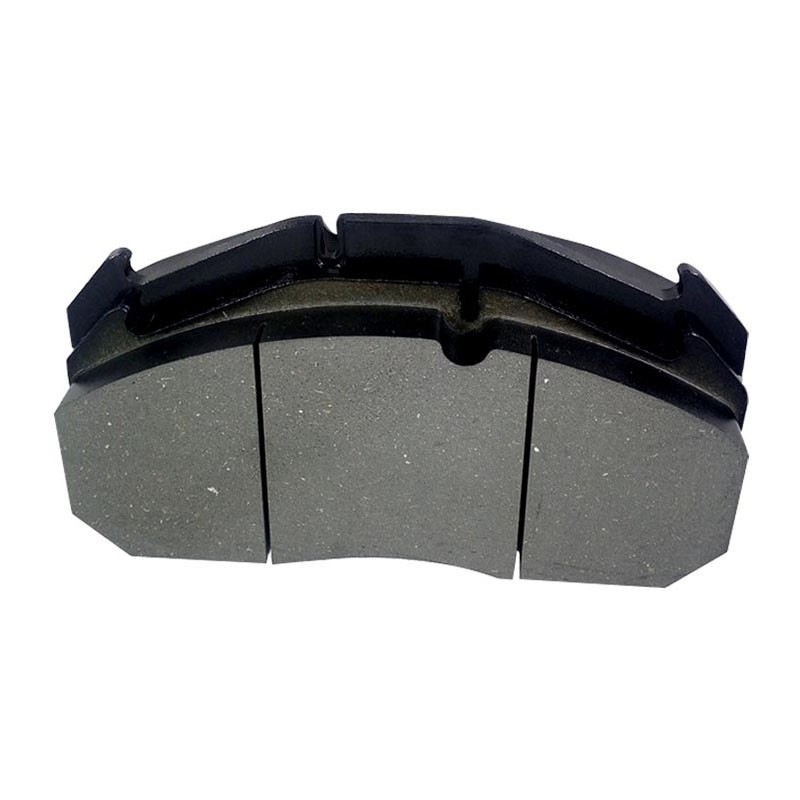
With the caliper removed, you can now see the old brake pads. They're usually held in place by clips or springs. Use your flat - head screwdriver to remove these clips or springs. Then, simply pull the old brake pads out of the caliper.
Step 5: Inspect the Brake Rotor
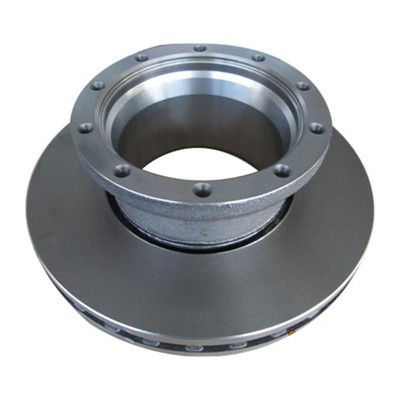
While you have the old brake pads out, take a look at the brake rotor. Look for any signs of wear, such as grooves, cracks, or uneven surfaces. If the rotor is severely worn or damaged, it might need to be resurfaced or replaced. You can measure the thickness of the rotor with a micrometer to see if it's still within the manufacturer's specifications.
Step 6: Retract the Brake Caliper Piston
Before you install the new brake pads, you need to retract the brake caliper piston. This is where the C - clamp or the brake piston retractor tool comes in. Place the tool against the piston and slowly turn the handle to push the piston back into its housing. This makes room for the new, thicker brake pads.
Step 7: Install the New Brake Pads
Now it's time to install the new brake pads. Make sure you have the right type of brake pads for your truck. As a truck brake pads supplier, I can tell you that there are different types of brake pads available, like Heavy Commercial Vehicle Brake Pads, Volvo Truck Brake Pads, and Heavy Duty Truck Brake Pads. Slide the new brake pads into the caliper, making sure they're properly seated. Reinstall the clips or springs to hold the pads in place.
Step 8: Reinstall the Brake Caliper
Carefully place the brake caliper back over the brake rotor and the new brake pads. Insert and tighten the caliper bolts. Make sure they're tightened to the manufacturer's recommended torque specification. You can use a torque wrench to get the right amount of tightness.
Step 9: Reinstall the Wheel
Put the wheel back on the hub and hand - tighten the lug nuts. Then, use the lug wrench to tighten the lug nuts in a star pattern. This ensures that the wheel is evenly tightened. Lower the truck off the jack stands using the jack, and then use the torque wrench to re - check the lug nut torque.
Step 10: Test the Brakes
Before you hit the road, pump the brake pedal a few times to build up pressure in the braking system. This will also seat the new brake pads against the rotors. Then, take your truck for a short test drive in a safe area. Test the brakes at low speeds to make sure they're working properly.
Tips and Tricks
- Always follow the manufacturer's instructions when working on your truck's braking system.
- If you're not confident in your ability to remove and install brake pads, it's best to take your truck to a professional mechanic.
- Keep your tools clean and organized. This makes the job go much smoother.
- When you're retracting the caliper piston, be careful not to damage the rubber seal.
Conclusion
Removing old truck brake pads might seem like a daunting task, but with the right tools and a little know - how, you can do it yourself. As a truck brake pads supplier, I'm here to help you find the best brake pads for your truck. If you have any questions about brake pads or the removal process, feel free to reach out. Whether you need Heavy Commercial Vehicle Brake Pads, Volvo Truck Brake Pads, or Heavy Duty Truck Brake Pads, we've got you covered. Contact us for more information and let's start a procurement discussion to keep your truck's braking system in great shape!
References
- Chilton's Truck Repair Manual
- Haynes Truck Repair Manual
- Manufacturer's service manuals for various truck models